Notes from Jason Hartley
Patterns we see most often when verifying applications
- Airport Wi-Fi at Suvarnabhumi (BKK) is overloaded between 06:00 and 09:00 — connect to your roaming SIM if you can.
- Kiosk queues are slowest at Don Mueang (DMK) due to fewer terminals; allow 30-45 minutes if filing on arrival.
- Filing on your phone is faster than the kiosk in 9 cases out of 10 — the form is mobile-responsive once you have a connection.
Are you at the airport right now?
Do not waste time reading. Start your fast-track application immediately. You will receive the QR code by the time you walk to the counter.
It happens to the best of us. You booked your flight, packed your bags, but missed the memo about the Thailand Digital Arrival Card (TDAC) replacing the old paper form.
Now you are standing in Suvarnabhumi (BKK) or Phuket (HKT), seeing signs that say "TDAC REQUIRED," and you do not have a QR code.
FORGOT YOUR TDAC?
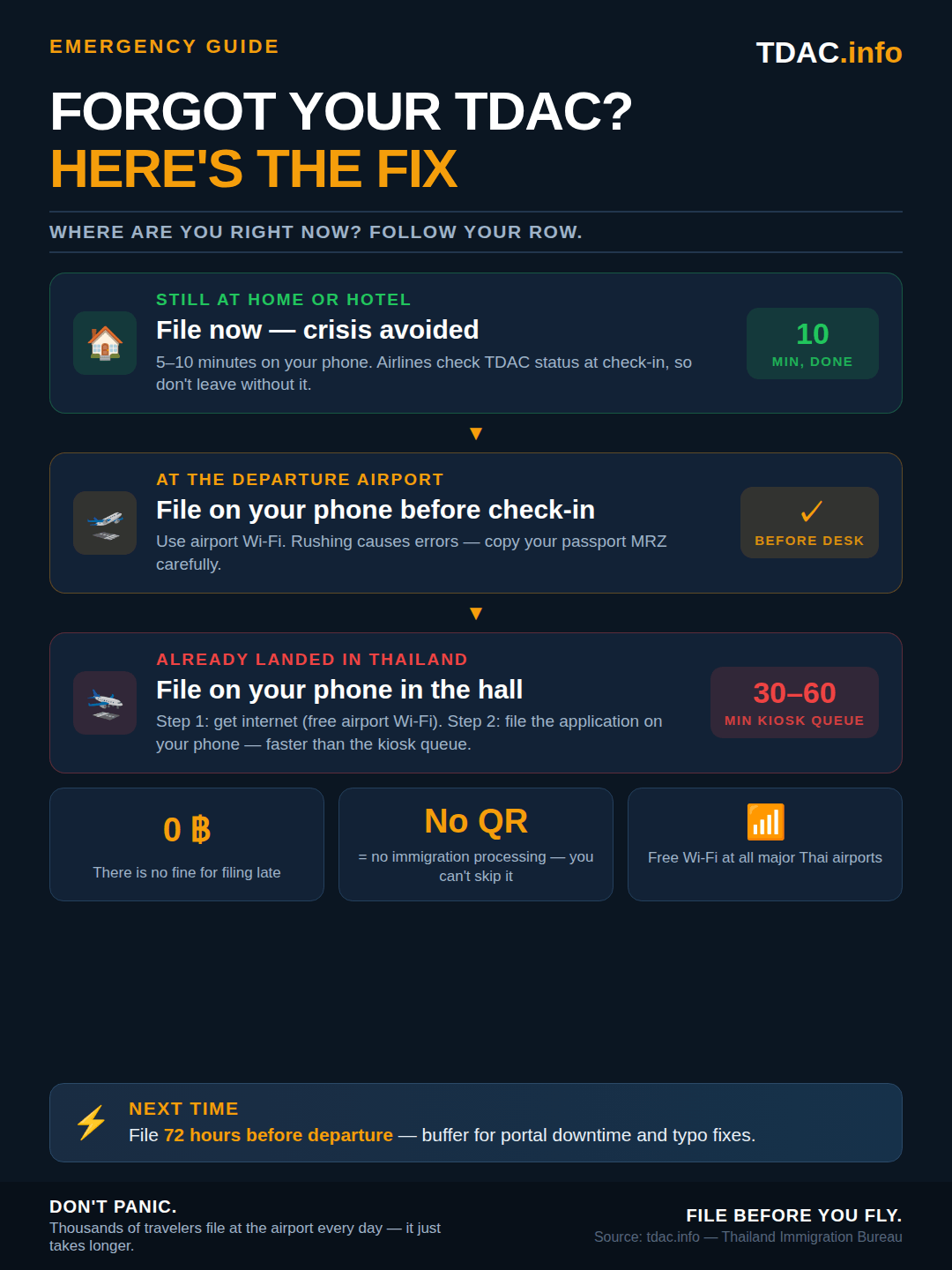
Option 1: The "Slow" Way (Kiosks)
Airports have installed self-service kiosks before the immigration hall.
- The Problem: There are often only 5–10 kiosks for 300+ passengers off a jumbo jet.
- The Wait: You could be standing in line for 20–40 minutes just to start typing.
- The Tech: The touchscreens can be slow, and scanning your passport often fails on the first try.
Option 2: The "Fast" Way (Use Your Phone)
You can file the application on your smartphone while walking from your gate to immigration. By the time you arrive, you will have the QR code.
Step 1: Get Internet Access
If you do not have roaming data, connect to the official airport WiFi:
Network Name: @AirportTrueFreeWiFi
Login: Select "Tourist Free WiFi" and enter your Passport Number
Step 2: File the Application
You have two choices:
- Official Site: It is free, but the interface is not mobile-friendly. Uploading passport photos on slow airport WiFi can time out, forcing you to start over.
- Use TDAC.info (Our Service): Designed specifically for these situations. No photo uploads required (manual entry). Optimized for mobile data and slow WiFi. Instant QR code delivery to your email.
FAQ for Airport Arrivals
Will Immigration send me back?
Do I need to print the QR code?
At the airport right now? Fill it on your phone.
Takes 5 minutes. Works on any phone with WiFi. You'll get a QR code by email instantly — show it at immigration and skip the kiosk queue.
Fill TDAC NowReviewed by
Jason Hartley
Travel Documentation Specialist · TDAC.info
Last reviewed on
Fact-checked against the official Thai Immigration Bureau guidance.